
# 初始化项目
# 1)在vscode新建 .gitignore 文件
.gitignore 文件用于过滤需要上传的文件
# 2)创建README文件
用于编写项目说明文档
# 3)新建远程仓库,使用Gitee
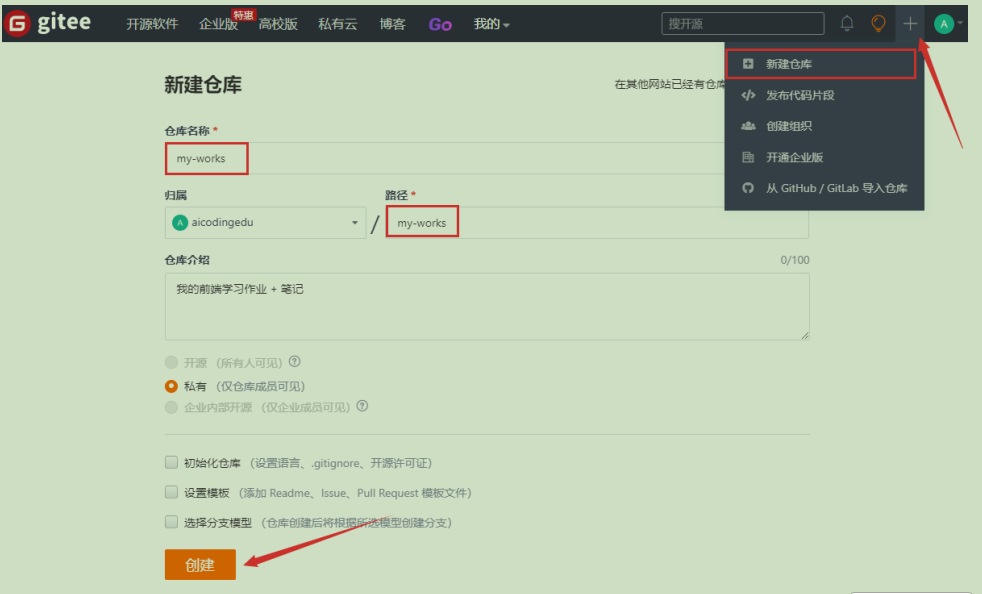
创建远程仓库,成功后:
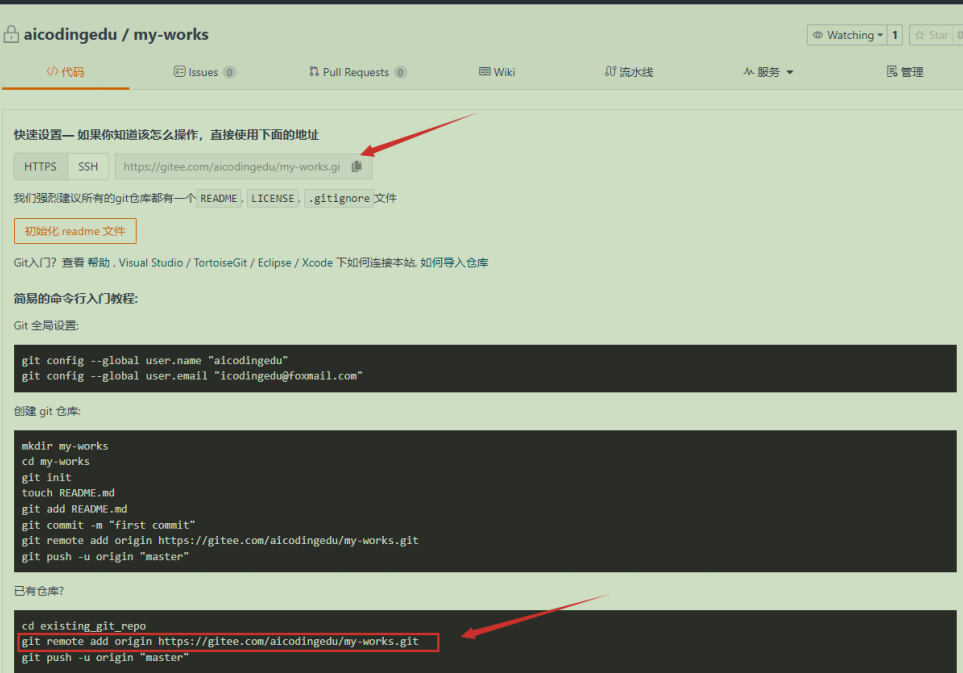
# 4)添加远程仓库提交地址
命令行:运行以下命令即可
git remote add origin https://gitee.com/aicodingedu/my-works.git
1
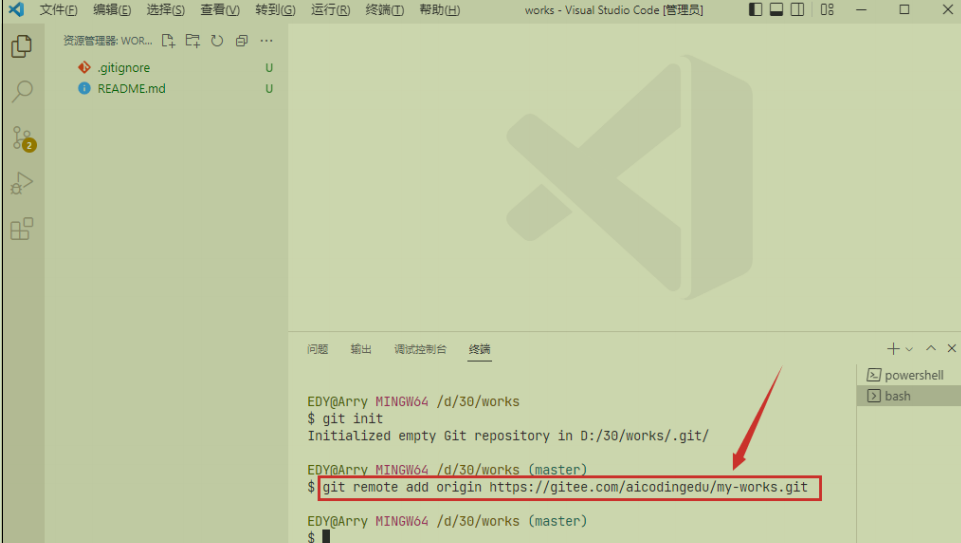
git
- Git版本控制系统的命令行工具
remote
- Git的子命令,用于管理远程仓库
- 可以执行添加、删除、重命名、查看远程仓库等操作
add
remote子命令的操作选项,表示要添加一个新的远程仓库
origin(重要!)
- 远程仓库的本地别名(可自定义)
- 这是远程仓库在你的本地仓库中的引用名称
- 通常使用
origin作为默认主远程仓库的名称(约定俗成) - 你可以用其他名字,如
upstream、myremote等 - 之后操作这个远程仓库时就用这个别名,比如:
git push origin
https://gitee.com/aicodingedu/my-works.git
- 远程仓库的实际URL地址
- 这里是Gitee(码云)的HTTPS协议地址
- 也可以是SSH地址,如:
[email protected]:aicodingedu/my-works.git
命令执行结果
执行后会在你的本地Git配置中添加:
[remote "origin"]
    url = https://gitee.com/aicodingedu/my-works.git
    fetch = +refs/heads/*:refs/remotes/origin/*
1
2
3
2
3
← 创建版本库 提交本地项目到远程仓库 →